Connecting the device
How to connect FrenschPress to your computer and show network. For QLab over USB MIDI it is ready to use out of the box.
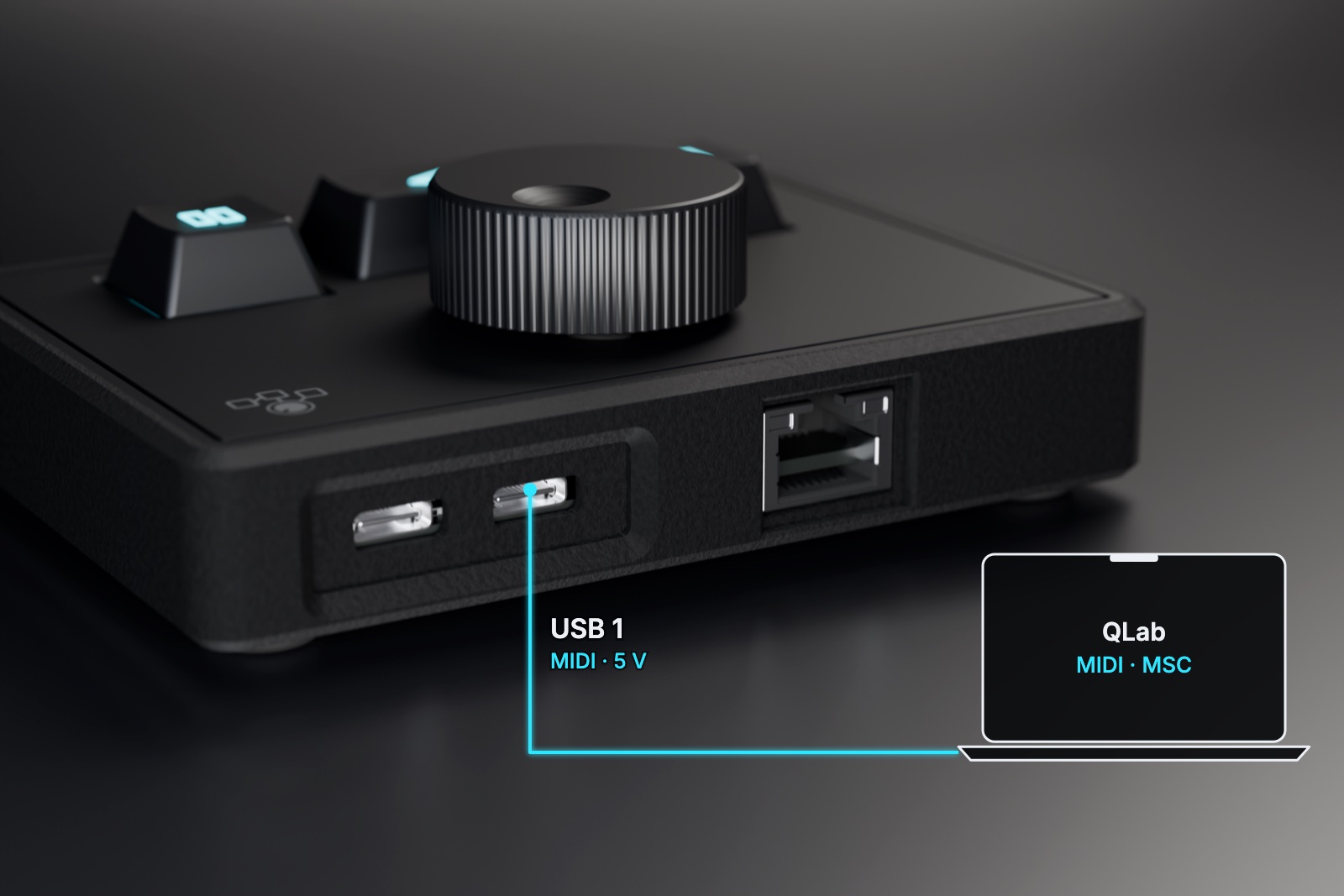
- Connect USB 1 to your computer with a USB data cable. The cable powers FrenschPress and carries MIDI.
- Optional: connect USB 2 to a second computer if you want to control a backup system over MIDI. Never connect both ports to the same computer.
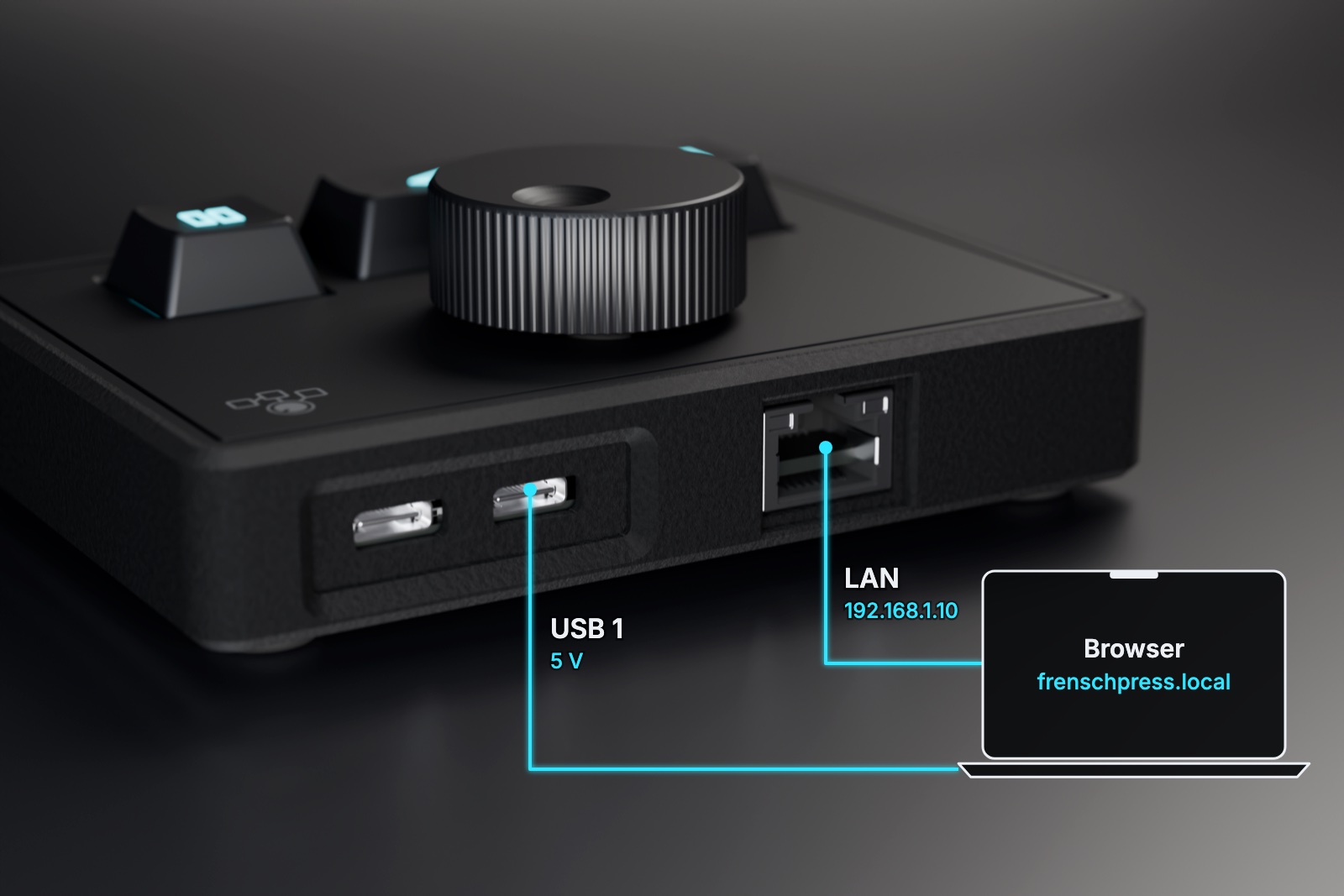
- For OSC, HTTP, TCP, Art-Net, sACN or RTP-MIDI, connect the Ethernet port to your show network.
- Set up the MIDI input or network control in the destination software.
Three ways to get started:
QLab over USB: connect USB 1 to the computer and you're done. FrenschPress shows up as a MIDI device and sends MSC.
Setting up on the LAN: Ethernet into the network, USB 1 for power. The web interface is at http://frenschpress.local or 192.168.1.10, see Ethernet.
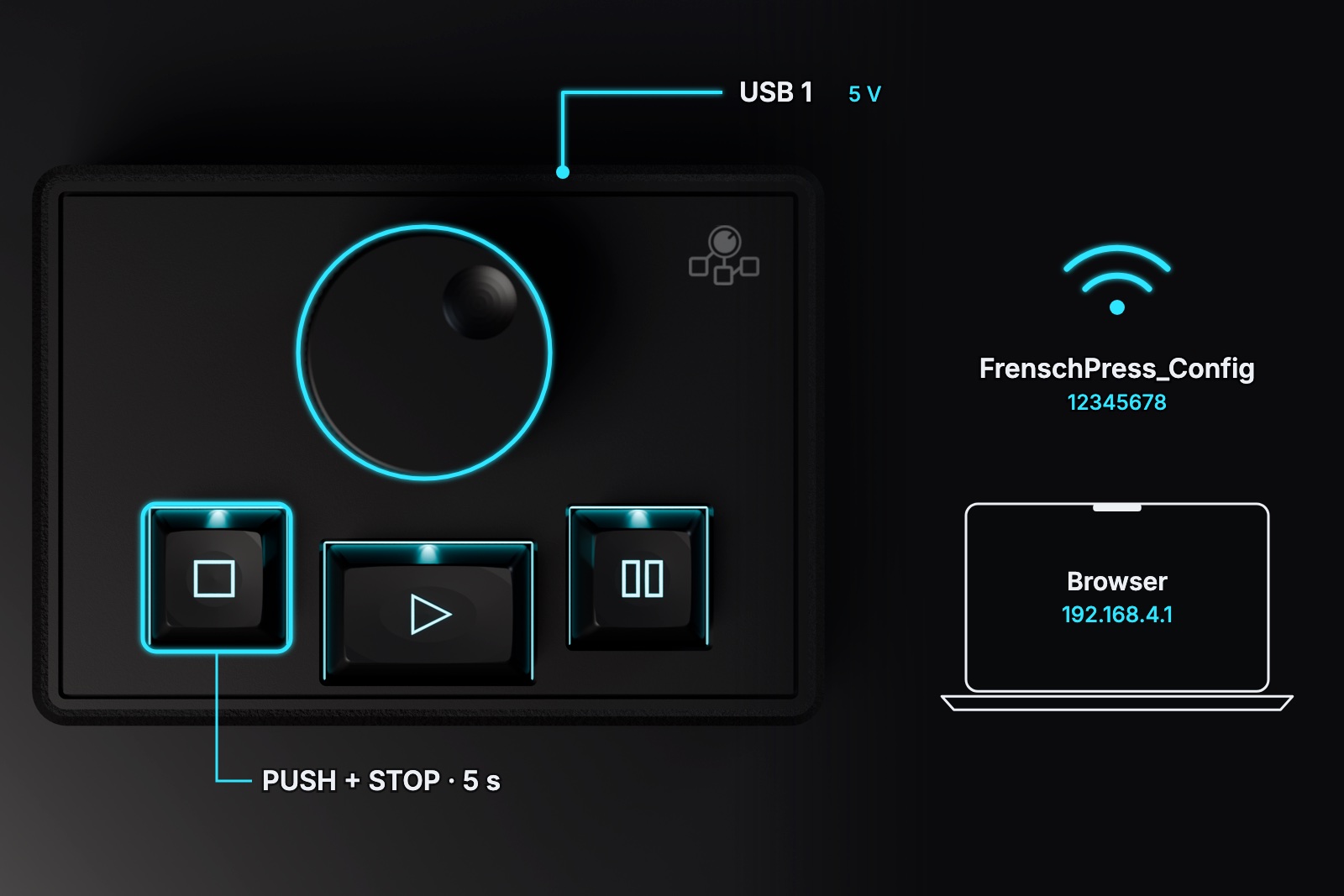
Setting up via the access point: USB 1 for power, then hold encoder push + STOP for 5 seconds. Join FrenschPress_Config (password 12345678) and open http://192.168.4.1, see Access point.
The factory setting is QLab over MSC. FrenschPress is recognised as a USB MIDI device; no additional drivers are needed. Your destination software has to receive and process the commands.
For all other settings, open the web interface over Ethernet or the access point. A USB cable on its own gives you access to the web interface only once USB Network is enabled.
Without a computer
For network-only operation, connect a stable 5 V / 1 A supply to either USB-C port. Saved macros and assignments run on the device.
Stream Deck or LTC dongle
Accessories connect to USB 2 in host mode and need external power. In this mode, USB 2 cannot act as a MIDI port for a computer at the same time. See USB host for the wiring.